

Drive Z (Temporary personal storage)
Each user has 2GB of personal data storage called drive Z.
Access to drive Z is restricted to individual users, not to others.
Drive Z is also the "home drive" for each user when using the campus PC. So, when a user saves data to the campus PC, data is written to the drive Z.
No one can write more than 2GB to the drive Z.
Accessing drive Z on campus
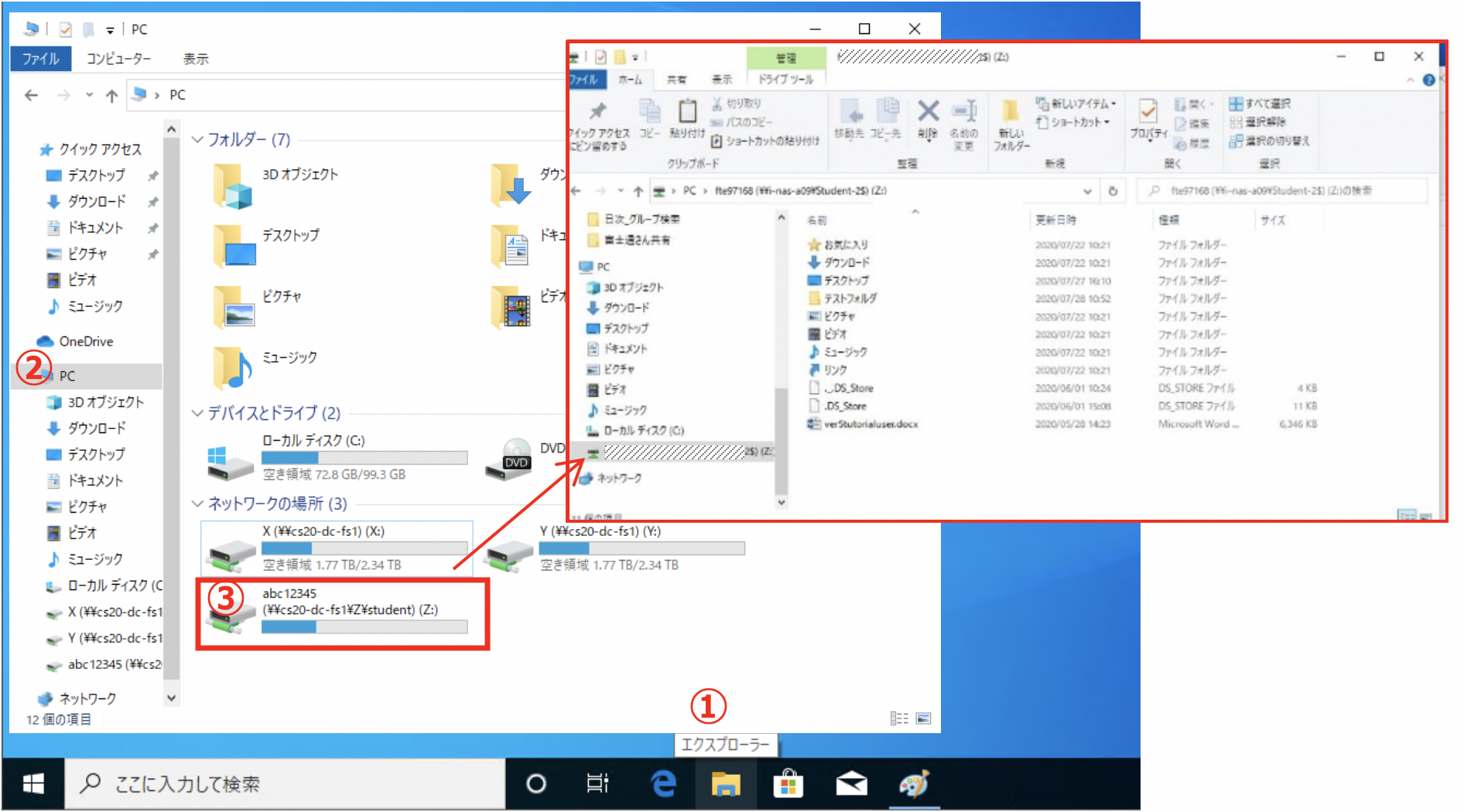
Click "Explorer" icon on the taskbar to open "Quick Access" window. In this window, click "PC" and double-click a network drive whose label ends with "(Z :)" in "Network Location".